I get asked about Proxmox and Unraid constantly, and the comparison gets confusing because the two operating systems are built to answer different questions. Proxmox is a hypervisor that can store files. Unraid is a storage platform that can run virtual machines. Both will do most of the same jobs, but the one you should install depends on which of those two sentences sounds like what you want.
If virtual machines and containers are the point of the build, install Proxmox. If a pile of mismatched hard drives and a media library are the point of the build, install Unraid. That’s the short version, and the rest of this article explains where that line comes from and where it gets complicated.
Proxmox vs. Unraid at a glance
| Proxmox VE | Unraid | |
|---|---|---|
| Built to be | A hypervisor | A NAS |
| Cost | Free, optional paid subscription | $49 to $249, one-time |
| Mixed drive sizes | Possible, but not ideal | The entire design |
| Redundancy model | ZFS or hardware RAID | Parity drive, files stay whole |
| Add one drive later | Depends on the pool layout | Yes, any size up to parity |
| Virtual machines | Excellent | Good |
| Containers | LXC natively, Docker in a VM | Docker with a full app catalog |
| GPU passthrough | Yes, lots of documentation | Yes |
| Drive spin-down | Not really | Yes, idle disks sleep |
| Clustering | Built in | No |
| Learning curve | Steeper, more Linux exposure | Gentler, more hand-holding |
What is Proxmox?
Proxmox VE is a type 1 hypervisor built on Debian, which means it installs directly onto the hardware and everything else runs on top of it as a virtual machine or an LXC container. It’s the free alternative to VMware for most people, and I compared them directly in my Proxmox vs. ESXi write-up.
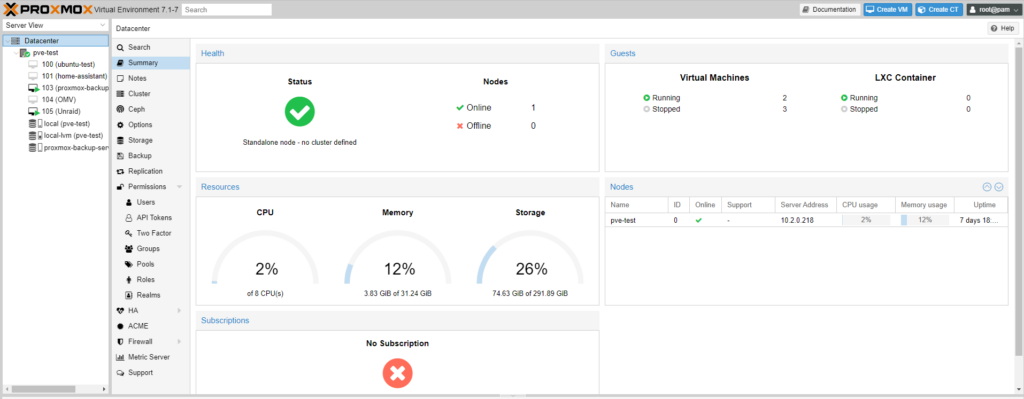
The web interface is dense and it exposes a lot of the underlying Linux instead of hiding it. I don’t mind that, because very little is off limits once you’re comfortable, but it does mean you will spend more time in a shell than you would on Unraid.
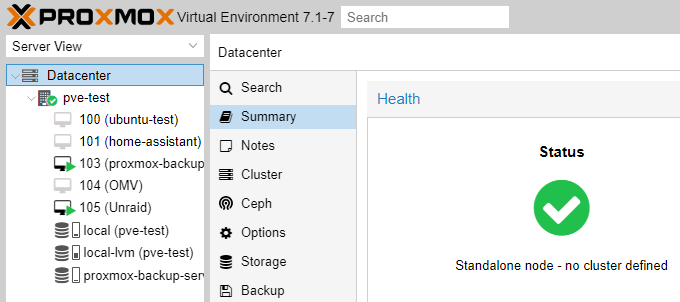
Storage on Proxmox is capable but fairly conventional, in that you get ZFS, LVM, and directory storage, and if you want the data-integrity guarantees that come with ZFS you’re also accepting its preference for matched drives and its appetite for memory. Backups are handled through a separate Proxmox Backup Server. I think that’s one of the best parts of the whole ecosystem.
What is Unraid?
Unraid started as a NAS operating system and it still works like one, even though it added virtual machines and Docker along the way. It boots from a USB flash drive, which is unusual and takes some getting used to, and the license is tied to that stick rather than to the machine.
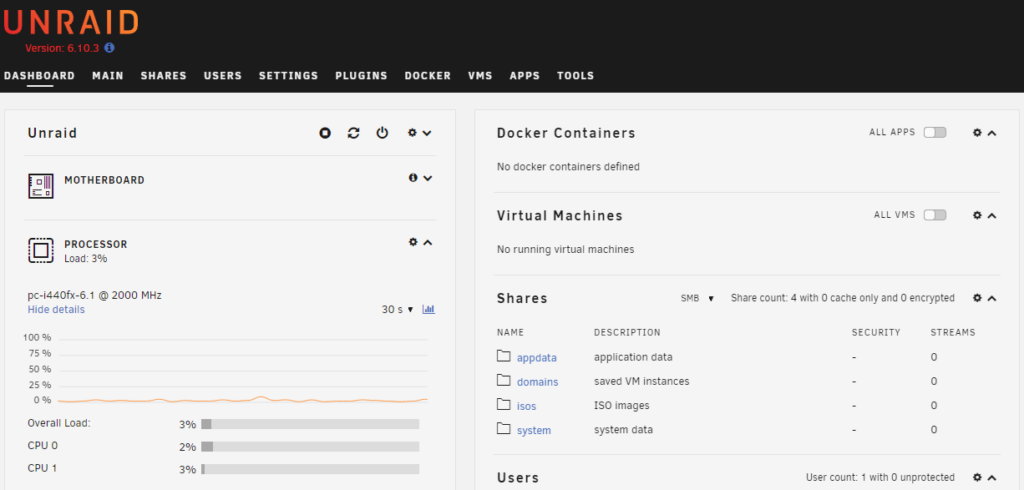
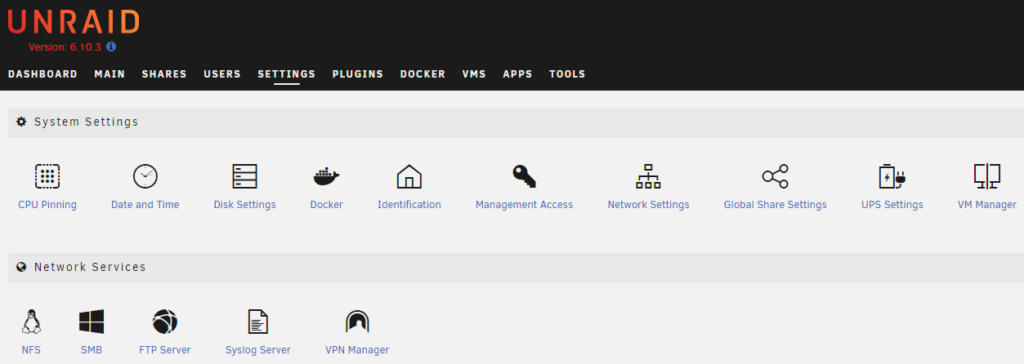
The interface is much friendlier than Proxmox, and the whole platform assumes you are a home user with drives you bought at different times. Overall, that’s why most people who try both stay on Unraid, even when Proxmox is technically the more powerful system.
The storage difference is what actually matters
Everything else in this comparison is a preference, but this part isn’t, and it’s usually what settles the decision.
Unraid’s array doesn’t stripe your data across disks the way conventional RAID does. Each drive holds complete files on its own file system, and a dedicated parity drive can rebuild any single failed disk. Two things come out of that, and both of them matter in a home setting. You can mix drive sizes freely as long as the parity drive is at least as large as the biggest data drive, and you can add another disk whenever you want without rebuilding anything. Because files sit whole on individual disks, idle drives spin down, which keeps a big media server quiet and cheap to run.
There is a real cost to that design, and read and write speed is limited to what a single drive can do rather than the combined throughput of the array, so Unraid is slower than a striped setup. A cache drive covers most of that in practice, but the underlying limitation is still there.
Proxmox with ZFS gives you almost exactly the opposite profile, with checksumming, self-healing, snapshots, and considerably better throughput, and in exchange ZFS wants drives that match, more memory, and a pool layout you’ve thought about in advance. If you’re buying a set of identical disks for a build that has to be fast and verifiably intact, that’s the better answer. If you’ve got a 4TB, an 8TB, and a 14TB drive collected over three years, ZFS is not going to make that easy.
Virtual machines and containers
Proxmox is better at virtualization, which makes sense given that’s what it’s built for. Snapshots, live migration between nodes, clustering, and fine-grained resource control are all there, and GPU passthrough is well documented. Containers are handled with LXC natively, and most people who want Docker end up running it inside a VM, which works fine but is an extra layer.

Unraid does the opposite. Docker is the priority here, and the Community Applications catalog turns installing most self-hosted software into filling out a short form, and for a lot of people that alone justifies the license. Virtual machines work and GPU passthrough is supported, but the tooling around them is thinner than what Proxmox offers. Installing Nextcloud on Unraid is a good example of how much easier that catalog makes things.
Is Unraid a hypervisor, and can you run one on the other?
I get these two questions a lot, so I will answer them directly.
Is Unraid a hypervisor? Yes, it includes one. Unraid uses KVM underneath, which is the same technology Proxmox is built on, so it runs real virtual machines. It just isn’t built around that job the way Proxmox is, so you get the capability without the management tooling around it.
Can you run Unraid inside Proxmox? Yes, and people do it. I’d think carefully before committing to it, though. You’d pass the storage controller through to the Unraid VM so it has direct access to the disks, and you’d need to handle the USB license key as well. It works, but you’ve now got two systems that both want to manage storage and a failure in the host takes the NAS down with it. If the goal is Proxmox with good storage, ZFS is the simpler option.
Running Proxmox inside Unraid is the less common direction. I wouldn’t recommend it, since nested virtualization adds overhead and complexity for very little payoff when Unraid can already run the VMs itself.
What each one costs
Proxmox VE is free and fully functional without paying anything. There are optional subscription tiers that provide access to the enterprise repository and support, and for a home lab you can ignore them entirely beyond dismissing a notice at login.
Unraid is paid, and the licensing changed in a way that older comparisons don’t reflect. There are three one-time license tiers: Starter at $49 for up to 6 storage devices, Unleashed at $109 for unlimited devices, and Lifetime at $249 for unlimited devices with lifetime updates. Starter and Unleashed are perpetual licenses that include one year of OS updates, after which the software keeps running and extending updates becomes optional.
That’s real money next to a free alternative. If you value the drive flexibility and the application catalog, I think it’s easy to justify, and for a media server built from drives bought over several years, most people decide that it is.
Which one should you pick?
Pick Proxmox if you’re running virtual machines as the main event, you want clustering or live migration, you’ve got matched drives and want ZFS integrity, or you’re learning virtualization in a way that transfers to professional work. It costs nothing to try, so it’s an easy place to start.
Pick Unraid if storage is the reason the machine exists, your drives are a mixed collection you plan to keep adding to, you want disks to spin down when idle, or you’d rather install self-hosted apps from a catalog than write Compose files. The license is the price of that convenience. The community is very good as well, and the Unraid forums are one of the better places to get help.
If neither one fits because you want ZFS on a dedicated NAS instead of a hypervisor, TrueNAS is the third option to look at. I’ve written about the differences between its editions in my TrueNAS comparison.
Final thoughts
Overall, both of these will run your containers, both will serve your files, and both will host virtual machines, so you are not choosing between capable and limited. You’re choosing which job the system is built around, and the drives you already own will answer that faster than any feature comparison.